
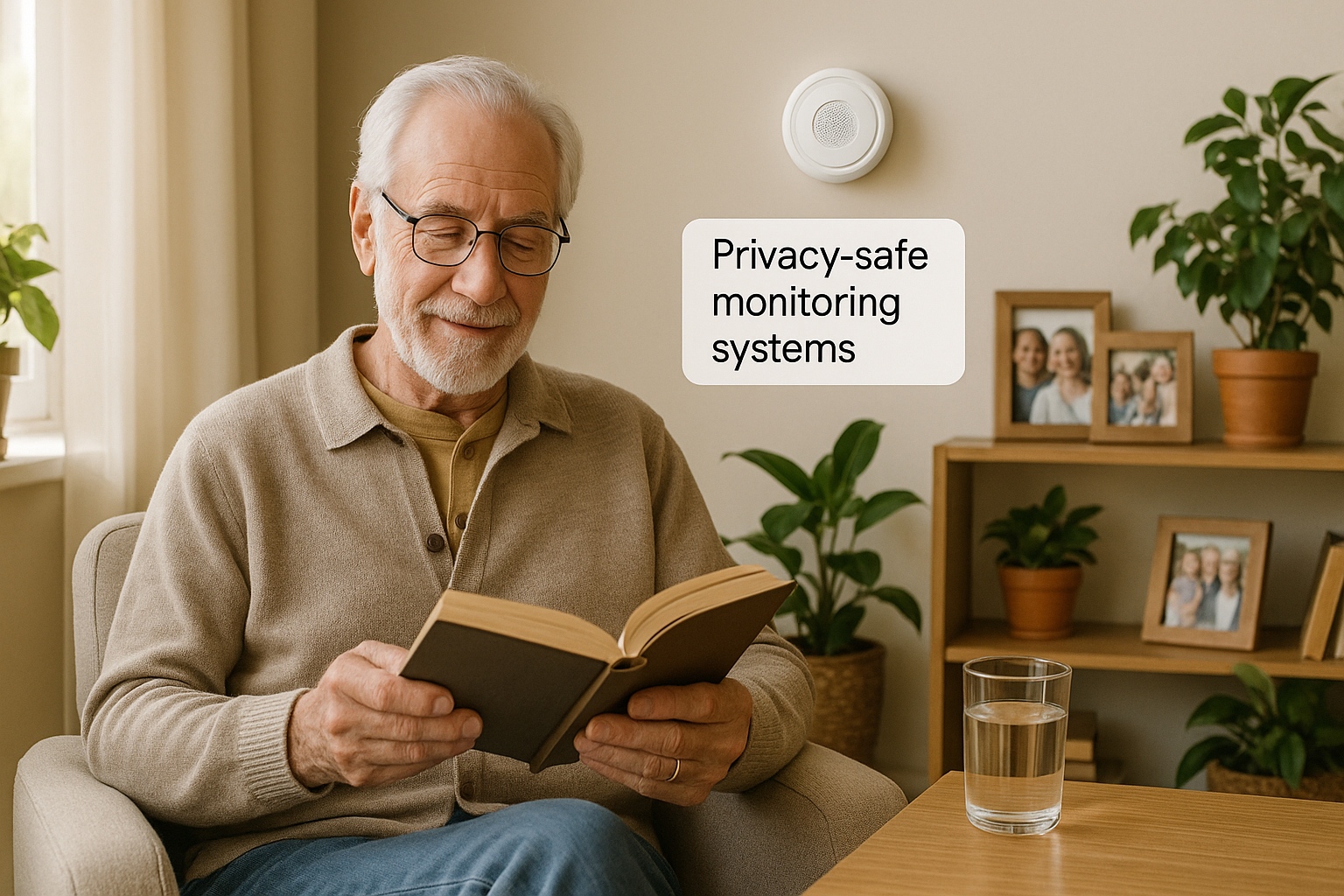
Privacy-Safe Home Monitoring for Seniors: No Cameras Required

“Absolutely not. I’m not having cameras in my house watching me.”
That was my sister’s answer the first time I mentioned home monitoring. And you know what? I didn’t blame her one bit.
Nobody wants to feel watched in their own home. Nobody wants their adult children seeing them in pajamas at 10am or catching them eating ice cream for breakfast. That’s not safety. That’s surveillance. And there’s a big difference between the two.
But here’s the thing that kept me up at night. My sister is 85 years old. She lives three hours away from me in Delaware. She’s independent and sharp, but things happen. Falls happen. Medical emergencies don’t send a warning first. And if something goes wrong when nobody is there, how would anyone know?
For months, I felt stuck between two bad choices. Either I invade her privacy with cameras, or I lie awake every night worrying that something terrible happened and nobody was there to help.
Then I found a third option. You can actually monitor for safety without cameras. You can get peace of mind without violating anyone’s privacy. The technology exists, it works, and some of it is surprisingly affordable.
Let me show you what I found.
———
Why Cameras Don’t Work for Most Families
Most home monitoring systems use cameras. Security cameras, nanny cams, video doorbells with indoor cameras, smart displays that let you “check in” anytime. I understand why they exist. Video gives you the most information. If your mom falls, you can see exactly where she is and what happened.
But the trade-off is huge.
With cameras, your parent knows that someone could be watching at any moment. Even if you’re not actively looking, even if the camera is just recording, the simple knowledge that it’s there changes how they act in their own home. They feel self-conscious. They feel judged. They feel like they’ve lost their independence and dignity.
And honestly? They’re right to feel that way.
I’ve seen this play out many times in my 20-plus years of caregiving. The moment someone feels watched, they stop being themselves. They either get anxious, resentful, or they start putting on a show. The very thing you’re trying to protect—their comfort and wellbeing at home—gets ruined by the method you’re using to protect it.
So cameras were off the table for my sister. I had to find another way.
———
What Privacy-Safe Monitoring Actually Means
Privacy-safe monitoring focuses on patterns and activities instead of visual observation. Instead of seeing what someone is doing, you simply see that they’re doing something. Instead of watching them make breakfast, you know someone was moving around the kitchen at breakfast time. Instead of seeing them in the bathroom, you just know the bathroom door opened at a normal time.
Think of it like tracking footprints in the snow rather than following someone around with a camera. You can see that someone walked from the house to the mailbox and back. You know they were active. But you don’t see what they were wearing, what expression was on their face, or what they picked up.
That’s the key difference. Cameras show everything. Privacy-safe sensors show just enough.
The technology works through motion sensors that detect movement in different rooms, door and window sensors that track when things open and close, pressure sensors that know when someone gets in or out of bed, and in some cases, radar technology that can detect falls without ever creating an image. None of these record video. None of these record audio. They just generate simple data about patterns and changes in those patterns.
———
How Activity Pattern Monitoring Works
Here’s what surprised me most about this technology. It’s often more useful than cameras.
These systems learn your loved one’s normal routine over the first couple of weeks. They notice patterns you might not even think about. Mom usually gets up between 7 and 8 in the morning. She visits the kitchen within 30 minutes of waking up, probably to make coffee. She spends most mornings in the living room. Bathroom visits happen every 2 to 3 hours during the day. She usually goes to bed between 10 and 11 at night.
Once the system figures out what’s “normal,” it alerts you when something changes in a meaningful way. No movement by 10am when she usually wakes by 8? That’s an alert. No kitchen activity all day? That could mean she hasn’t eaten. Getting up five times during the night when she usually gets up once? That might mean pain or confusion or illness.
These pattern changes often show up 3 to 5 days before the senior even realizes something is wrong. That early warning is incredibly valuable. A camera shows you what’s happening right now. Activity monitoring shows you trends over time that might point to declining health, medication issues, or confusion before they become emergencies.
———
Comprehensive Monitoring Systems
CarePredict Tempo — Full Activity Tracking
Cost: $449 for the device plus $69 per month
This is the system I researched the most, and here’s why it stands out. CarePredict uses a wearable device that looks like a watch or fitness tracker, combined with small sensors you mount on the walls around the house. There are no cameras and no microphones anywhere in the system.
The wrist device can recognize 12 different daily activities. It knows when someone is walking, eating, drinking, sleeping, bathing, using the bathroom, and more. How does it know? Through movement patterns and location. When you’re near the kitchen table making repeated hand-to-mouth movements, it recognizes eating. When you’re in the bathroom with specific movement patterns, it recognizes bathing.
I know that might sound a little unsettling at first, but remember—it’s not seeing anything or recording anything. It’s just recognizing patterns of movement, the same way you’d know someone is typing because you hear keyboard sounds without reading what they’re actually typing.
The system takes about 2 to 4 weeks to learn someone’s normal routine. After that, you get alerts when patterns change in meaningful ways. Skipped meals, less water intake, unusual sleep patterns, changes in bathroom habits, falls, or a drop in overall activity.
CarePredict is a subscription service ordered through their website. But if you’d rather skip the monthly fees entirely and get something comparable on Amazon, keep reading.
Amazon Alternative: CareAlert Senior Wellness Monitor — about $200, no monthly fees
If CarePredict’s $69 per month subscription feels like too much, the CareAlert does something very similar at a fraction of the cost. It monitors activity patterns without cameras or wearables, detects movement and room presence, tracks environmental conditions like temperature and humidity, and sends alerts to your phone through their free app. It even includes personalized voice medication reminders that you can record in your own voice, which is a nice personal touch. There are no monthly fees at all—you pay once and you’re done.
🔗 Search for CareAlert on their website (not currently available on Amazon)
SNUGG Wellness System — Maximum Privacy
Cost: $299 to start plus $39 per month
If privacy is your absolute top priority—even more than getting detailed activity data—SNUGG was built specifically with that in mind.
SNUGG uses passive sensors around the home. No wearable devices needed. The sensors simply detect whether someone is present in a room. They don’t track what you’re doing, just that you’re there and moving around.
What you see is very simple. Motion in the bedroom at 7:23am means she woke up. Motion in the bathroom from 7:25 to 7:40. Motion in the kitchen at 7:45. Motion in the living room at 8:20. That’s it. You’re not getting details about what she’s doing. You’re just getting the reassurance that she’s up and moving in normal patterns. If movement stops for an unusual length of time, or if there’s no movement at all when there should be, you get an alert.
The sensors are tiny—about the size of a USB drive. They run on batteries that last 2 to 3 years. No wiring needed. You just stick them on the wall in each room.
This is the system I was originally leaning toward for my own sister because she absolutely will not wear any device consistently. I know her. A wearable would end up in a drawer within a week. SNUGG doesn’t ask anything of her at all.
SNUGG is a subscription service through their website. But there’s a great Amazon alternative that works nearly the same way for a lot less money.
Amazon Alternative: Aqara FP2 Presence Sensor — about $83, no monthly fees
This is the find that really excited me. The Aqara FP2 uses the same kind of advanced radar technology as the expensive systems, but it’s available right on Amazon for a fraction of the price. It uses millimeter-wave radar to detect human presence in a room—even if someone is sitting completely still. No cameras. No audio recording. No wearables needed.
It can monitor a room up to about 430 square feet and divide it into up to 30 separate zones. So you could set one sensor in the living room and have it track the couch area, the kitchen doorway, and the hallway separately. It detects up to 5 people at once, and when mounted on the ceiling, it can even detect falls automatically.
It works with Amazon Alexa, Apple HomeKit, and Google Home, so you can set up alerts and automations like “if no presence detected in the living room by 10am, send me a notification.” There are absolutely no monthly fees. You buy it once and it works.
For the price of one month of SNUGG’s subscription, you can own this sensor outright. You might want two or three to cover different rooms, and even then you’re spending far less than any subscription system.
👉 Check price on Amazon: Aqara FP2 Presence Sensor
And if the FP2 is more than you need or more than you want to spend, Aqara makes two other options at lower price points.
The Aqara FP1E is the middle option at about $45. It uses the same radar technology as the FP2 but covers a smaller area and doesn’t have the multi-zone tracking. For a single room like a bedroom or bathroom, it’s a great choice at nearly half the price.
👉 Check price on Amazon: Aqara FP1E Presence Sensor ($44.99)
The Aqara P1 Motion Sensor is the budget option at just $20. It’s a standard motion sensor rather than radar—so it detects movement but won’t catch someone sitting still. But at $20, you could put one in every room of the house for less than the cost of a single FP2. For basic “is someone moving around?” monitoring, it gets the job done.
👉 Check price on Amazon: Aqara P1 Motion Sensor ($19.98)
Alarm.com Wellness — If You Already Have Home Security
Cost: $199 starter kit plus about $30 per month
If your family already has an Alarm.com home security system, adding wellness monitoring is easy and works right through your existing setup.
The starter kit comes with motion sensors for key rooms, door and window sensors, and a temperature monitor. You set up your own rules for alerts. For example, you could say “alert me if no movement is detected between 7am and 11am on any day” or “alert me if indoor temperature drops below 65 degrees.” You can get very specific about what triggers a notification.
The system doesn’t learn patterns on its own like the others do. You create the rules manually. But that also means you have very precise control over exactly what generates an alert and what doesn’t.
Alarm.com Wellness is sold through their network of local dealers. But if you don’t already have their system, you can build something very similar yourself on Amazon for much less.
Amazon Alternative: AEOTEC SmartThings Hub plus sensors — about $220 to $270 total, no monthly fees
SmartThings gives you everything Alarm.com offers—motion sensors, door and window sensors, temperature monitoring, custom alert rules—without any monthly subscription. You buy the hub (about $130), then add whatever sensors you need at $20 to $40 each. You create the exact same kinds of rules: “If no motion in the bedroom by 10am, send me a notification.” It takes more setup than Alarm.com, but you’re saving hundreds of dollars a year in subscription fees.
👉 Check price on Amazon: AEOTEC SmartThings Hub
If you want an even easier start, Samsung also sells a SmartThings Home Monitoring Kit that bundles the hub with several sensors in one box for about $199. It’s a bit more upfront than buying pieces separately, but everything is pre-matched and setup is simpler. Good option if your parent isn’t tech-savvy and you want to set it all up in one visit.
👉 Check price on Amazon: Samsung SmartThings Home Monitoring Kit ($198.88)
Budget-Friendly DIY Options
If the comprehensive systems above are beyond your budget, don’t worry. You can put together an effective monitoring setup using affordable products you can order right from Amazon. It takes more setup work on your end and won’t be as sophisticated, but it absolutely works.
Wyze Home Monitoring Kit — Best Budget DIY Option
Cost: About $90 one time, with an optional $1.99 per month for cloud storage
Wyze makes affordable smart home products, and you can piece them together into a basic but effective monitoring system. The starter kit comes with a hub (which is the brain of the system), two motion sensors, and two contact sensors for doors or windows.
You can add more sensors as you need them, and they only cost about $10 to $20 each. That’s incredibly affordable compared to the professional systems.
Here’s how I’d set it up for basic safety monitoring. Put a motion sensor in the bedroom and another in the main living area. Put a contact sensor on the front door and another on the bathroom door. That way you know when she’s up, when she’s moving around, when she goes to the bathroom, and when she leaves the house.
The Wyze app sends push notifications to your phone when sensors get triggered. You set up simple rules like “if no motion in the bedroom by 10am, send me a notification” or “if the bathroom door hasn’t opened in 12 hours, alert me.”
There’s no AI learning your patterns. No professional monitoring. No fancy caregiver dashboard. Just simple sensor triggers and phone notifications. But for around $90, that’s genuine peace of mind. The privacy is excellent too—the sensors only detect motion or a door opening. No images, no audio, no detailed tracking of any kind.
👉 Check price on Amazon: Wyze Home Monitoring Kit
Ring Alarm Home Security Kit — Better Integration Than Wyze
Cost: $199 one time, plus an optional $10 per month for professional monitoring
Ring Alarm works a lot like Wyze but with better reliability and the option of professional monitoring. The starter kit comes with a base station, contact sensors for doors and windows, a motion detector, and a range extender.
You’d use it the same way—motion detectors in the main living areas, contact sensors on doors—to get a picture of daily activity without seeing anything visual. The big advantage over Wyze is that for $10 a month, Ring’s monitoring center watches your system around the clock. If sensors detect something concerning and you don’t respond to their check-in call, they can send emergency services automatically.
The system doubles as both home security and wellness monitoring, which gives you good value if you want both. Battery backup lasts 24 hours during power outages, which is longer than what Wyze offers. Setup is straightforward and takes about 30 minutes.
👉 Check price on Amazon: Ring Alarm Home Security Kit
Ring also sells a smaller 5-Piece Kit for $150 if you don’t need as many sensors upfront. It comes with the base station, one contact sensor, one motion detector, and the range extender. You can always add more sensors later as needed. It’s a good way to start smaller and expand over time.
👉 Check price on Amazon: Ring Alarm 5-Piece Kit ($149.99)
———
Advanced Privacy Technology
Vayyar Home — The Ultimate Privacy Solution
Cost: $995 one time with no monthly fees ever
Vayyar Home is the most advanced privacy-safe technology I found in all my research. It uses radar technology—the same kind used in military applications—to detect what’s happening in a home without any cameras or microphones. The radar can detect falls (even in the bathroom where people wouldn’t typically wear a device), breathing patterns, heart rate, movement, location, sleep patterns, and bathroom visits.
Here’s the important part. It is physically impossible for this technology to create images. It’s radar, not a camera. Think of it like how bats navigate. They send out signals and interpret what bounces back, but they’re not seeing pictures. Vayyar detects presence, movement, and vital signs. It has zero ability to see what you look like or what you’re doing.
You mount one device on a wall in a central location, and it covers an entire apartment or small home. Setup is simple—mount it, connect to WiFi, and you’re done.
The price is steep upfront at $995, but there are no monthly fees. Over five years, that’s actually competitive with subscription systems. CarePredict would cost you over $4,500 over the same five years.
But here’s the thing—you might not need to spend anywhere near $995 to get the same radar technology.
Amazon Alternative: Aqara FP2 Presence Sensor — about $83, no monthly fees
I mentioned the Aqara FP2 earlier, and this is where it really shines as an alternative. It uses the exact same millimeter-wave radar technology as Vayyar. No cameras, no audio, no images are ever created. It detects presence, movement, and falls. When ceiling-mounted, the fall detection feature automatically alerts you through the app if someone goes down.
The biggest difference? Price. The Aqara FP2 costs about $83 on Amazon. Even if you bought five of them to cover an entire home, you’d still spend less than $400—compared to Vayyar’s $995. It doesn’t monitor breathing or heart rate like Vayyar does, but for basic presence detection and fall alerts, it’s remarkable technology at an unbeatable price.
👉 Check price on Amazon: Aqara FP2 Presence Sensor
———
How to Bring This Up with a Resistant Senior
Even with privacy-safe systems, you’re probably going to face some pushback. Here’s what I’ve found works best in those conversations.
Start from their perspective. Try saying something like, “I know you value your independence and privacy. This system is designed to protect both of those things. There are no cameras. No one is watching you. The system just notices if your routine changes, like if you haven’t been up and moving when you normally would be. It helps you stay in your home longer by giving me enough peace of mind that I’m not calling you five times a day.”
Be very specific about what the system does NOT do. “It cannot see you. It cannot hear you. It cannot record anything visual or audio. It can’t tell what you’re wearing or what you’re eating or what show you’re watching. It just knows you’re up and moving around. That’s literally all.”
Emphasize how it helps them, not just you. “If something happens—if you fall or feel sick—this means help gets to you faster. And it means I won’t need to keep calling to check on you, which I know drives you crazy.”
And always offer a trial period. “Let’s try it for 30 days. If you hate it, we take it out. No questions asked.” Most of the time, after a couple of weeks they forget the sensors are even there.
———
What This Really Costs Over Time
Let me break down what you’d actually spend over the first three years, because that helps with real decision-making.
The subscription systems add up fast. CarePredict Tempo runs about $2,933 over three years. SNUGG Wellness comes to about $1,703. Alarm.com Wellness totals around $1,279.
But look at the Amazon alternatives. The CareAlert monitor is about $200 one time. A set of three Aqara FP2 sensors to cover a whole home runs about $200 total. A full AEOTEC SmartThings setup is about $300. The Wyze starter kit is about $90. Ring Alarm is about $199 plus optional $10 a month.
The savings are huge. You can get effective privacy-safe monitoring for a one-time cost of $20 to $250 instead of spending $1,000 to $3,000 over three years on subscriptions.
Now here’s some perspective. One single hospitalization from a fall can cost $15,000 or more. Assisted living, if it comes to that because of safety concerns, runs about $4,500 per month. If a monitoring system helps your loved one stay home even six months longer or prevents just one hospitalization, it has paid for itself many times over.
———
What I’m Planning for My Sister
After all this research, I’ve actually changed my mind about what I’m going with.
Originally I was leaning toward SNUGG Wellness at $39 a month. But after finding the Aqara FP2 sensors, I’m going a different route. I’m planning to get a mix of Aqara sensors—an FP2 for the main living area ($83), an FP1E for the bedroom ($45), and an FP2 for the bathroom since that’s where dangerous falls happen ($83) (it’s waterproof). Total cost: about $211 with no monthly fees ever.
My sister absolutely won’t wear a device. That takes CarePredict off the table. Privacy is her number one concern. The Aqara radar sensors respect that completely—no cameras, no audio, no images. And I’ll get fall detection in the bathroom, which is where most dangerous falls happen.
I can install them myself during my next visit. And my hope is that after the first week, she’ll completely forget they’re even there.
———
The Bottom Line
You can monitor for safety without cameras. You can get peace of mind without violating privacy. And you can do it without spending a fortune on monthly subscriptions.
Privacy-safe monitoring isn’t perfect. It won’t show you exactly what’s happening at any given moment. But it will tell you enough to know when something might be wrong, and that’s usually all you need.
For seniors who refuse cameras—and that’s most seniors, honestly—these systems offer the only real path to both safety and dignity.
Start with the simplest system that addresses your biggest worry. If you just need confirmation that someone is up each day, a Wyze sensor kit for about $90 does the job. If you want advanced radar fall detection without cameras, the Aqara sensors starting at just $20 for basic motion detection or $83 for full radar presence sensing are incredible technology for the price.
Whatever you choose, it’s better than lying awake at 3am wondering if your mom is okay, with no way to find out without calling and waking her up.
These systems give you enough information to sleep at night, while giving your loved one enough privacy to keep their dignity during the day.
That balance is worth every penny.
———
Ready to Get Started?
Here are my top recommendations. Every product below is available on Amazon—just click to check current pricing and reviews.
Best Radar Presence Sensor (No Cameras): Aqara FP2 at about $83. 👉 Check price on Amazon: Aqara FP2 Presence Sensor
Budget Radar Sensor: Aqara FP1E at about $45.
👉 Check price on Amazon: Aqara FP1E Presence Sensor ($44.99)
Super Budget Motion Sensor: Aqara P1 at about $20.
👉 Check price on Amazon: Aqara P1 Motion Sensor ($19.98)
Best Activity Monitor (No Wearable): CareAlert at about $200. 🔗 Search for CareAlert on their website (not currently available on Amazon)
Best Budget DIY: Wyze Home Monitoring Kit at about $100. 👉 Check price on Amazon: Wyze Home Monitoring Kit
Best for Security Plus Wellness: Ring Alarm Kit at $199. 👉 Check price on Amazon: Ring Alarm Home Security Kit
Best Flexible DIY: AEOTEC SmartThings Hub at about $250 to $330 for a full setup. 👉 Check price on Amazon: AEOTEC SmartThings Hub
Best Simple Sensors: Notion Sensors at $199 starter kit. 🔗 Visit Notion website for pricing (not currently available on Amazon)
———
Disclosure: This post contains affiliate links. If you click through and buy something, I may earn a small commission at no extra cost to you. I only recommend products I’ve researched and truly believe will help your family. Your trust means everything to me.
